Blogs
How Much Is a $100 Steam Card in Naira?
1 month ago
If you have a $100 Steam Card and want to know how much it is worth in Naira, the answer depends on the current gift card trading rate. The $100 value represents the card's face value, but it does not automatically mean you will receive the same amount after converting it to Naira. Steam Card rates can change because of market demand, card type, region, currency, and other trading conditions. Checking the current rate before selling helps you understand the amount you may receive. Your $100 Steam Card may also have a different resale value from another card with the same denomination. Factors such as whether the card is physical or digital, its region, and its current eligibility can affect the applicable offer. This is why I do not rely on old rate lists or figures shared by other traders. The most useful approach is to check the current rate when you are ready to sell. If you are in Nigeria and have a Steam Card you do not need, **[GCBUYING](https://gcbuying.com/)** gives you an option to explore its current trading value. Before starting your transaction, you can check the applicable offer, provide the required card details, and submit the card for verification. In this guide, you will learn what affects the Naira value of a $100 Steam Card and how to make a more informed selling decision. ## How Much Is a $100 Steam Card in Naira Today? The Naira value of a $100 Steam Card depends on the specific Steam Card you have, not just the $100 denomination. Different Steam Card regions, currencies, and formats can attract different trading rates. For example, a Steam NZ card, Steam US e-Code, and Steam UK card can have significantly different rates even when each card has a $100 equivalent value. This means there is no single rate that should be applied to every Steam Card. Before selling, you need to identify the exact card type and check the current offer available for it. **1. Steam US, UK, and NZ Cards Can Differ** A $100 Steam Card does not automatically have the same resale value across all regions. A Steam US e-Code, Steam UK Card, and Steam NZ Card can each have different rates per dollar equivalent. The difference can be significant, which is why simply searching for "$100 Steam Card rate" may not give you an accurate expectation. Your actual card details matter more than a general rate. Always check the specific Steam category available for your card before deciding to sell. **2. Physical and Digital Cards May Differ** The format of your Steam Card can also influence the applicable trading conditions. Physical cards and digital codes may not always receive identical offers because they can have different demand and verification requirements. If you have a digital Steam code, make sure you select the appropriate e-Code or digital option where available. If you have a physical card, provide the required information and images clearly. Choosing the correct format helps ensure that your card is evaluated under the right trading category. **3. Your $100 Does Not Equal One Fixed Naira Amount** The $100 denomination tells you the value assigned to the card, but your resale value depends on the applicable trading rate. If two $100 Steam Cards belong to different regions, their Naira values can be completely different. This is why I always recommend checking the exact card category rather than using one general Steam Card rate. Once you identify your card and review the current GCBUYING offer, you have a much clearer basis for deciding whether selling it is worthwhile. Because Steam Card rates can change, the best way to know your potential Naira value is to check the current GCBUYING offer when you are ready to sell. ## What Determines the Naira Value of a $100 Steam Card? The Naira value of a $100 Steam Card is influenced by several factors rather than one universal price. The region, card type, currency, demand, supply, and wider market conditions can all affect the rate available to you. This is why a $100 Steam Card from one region may receive a very different offer from another card with the same face value. GCBUYING explains that gift card pricing responds to factors such as demand, supply, country of issuance, and current market activity. **1. Currency of the Card** Currency is another factor that can change the value of your Steam Card in Naira. A card denominated in US dollars is not necessarily traded at the same rate as a card from another currency or region. The currency can affect demand, redemption possibilities, and the way traders assess the card. This is why you should not simply convert the face value using a general dollar-to-Naira exchange rate. Gift card trading rates are determined separately and can reflect conditions within the gift card market. **2. Buyer Demand** Buyer demand plays a major role in determining how much traders are willing to offer. When there is strong demand for a particular Steam Card type or region, the trading market may support a more competitive rate. When demand falls, the available rate can change. Demand is not necessarily the same for every Steam Card, which explains why one region may attract a stronger offer than another. Before selling your $100 card, check the current rate for its exact category rather than assuming that every Steam Card has identical market demand. **3. Card Supply and Availability** Supply can also influence your card's trading value. If many sellers are bringing the same type of Steam Card into the market, buyers have more options, which can affect the rate they are prepared to offer. On the other hand, limited supply combined with strong demand can create different market conditions. Supply can change from one period to another, so a rate that was available previously may not remain unchanged. **4. Overall Market Conditions** The wider gift card market also affects individual trading rates. Changes in international demand, currency conditions, seasonal activity, brand popularity, and general trading activity can influence what buyers are willing to pay. GCBUYING notes that gift card rates are shaped by market conditions rather than a fixed pricing system. Checking the current GCBUYING offer when you are ready to trade gives you a more realistic expectation. The value of your $100 Steam Card depends on more than its face value. Region, card format, currency, buyer demand, supply, and current market conditions can all affect the rate available to you. Instead of relying on one general Steam rate, identify your exact card and check the current GCBUYING offer. This approach helps you understand the market value of your specific card and make a more informed decision before selling. ## How to Check the Current Value of a $100 Steam Card on GCBUYING If you want to know the current Naira value of your $100 Steam Card, checking the rate on GCBUYING before selling is a practical first step. The platform provides a rate calculator and supports Steam Gift Cards. Since rates can change according to card type, region, demand, and market conditions, you should check the applicable offer when you are ready to trade rather than relying on an old rate. Here is procedure to check the current value: - **Open GCBUYING:** Visit the GCBUYING website and access the gift card trading or rate calculator section. - **Select Steam Gift Card:** Choose Steam from the available gift card categories. - **Choose the Correct Card Type:** Select the exact Steam Card type and region you have, such as US, UK, NZ, or another supported option. - **Enter Your Card Value:** Enter $100 or the applicable denomination of your Steam Card. - **Review the Current Rate:** Check the rate displayed for your selected card. Do not assume another Steam Card category will have the same rate. - **Check the Estimated Naira Value:** Use the displayed information to understand the potential Naira value of your card before proceeding. - **Continue With the Trade:** If the current offer works for you, proceed with the selling process and provide the requested card information. - **Complete Verification:** GCBUYING verifies the card's authenticity and value before processing the payment. Checking your Steam Card value before selling helps you avoid guessing how much your $100 card may be worth in Naira. The most important step is selecting the correct Steam region and card type because different categories can have different trading rates. Once you enter the denomination and review the current GCBUYING offer, you can decide whether you want to proceed. I recommend checking the rate immediately before submitting your card because gift card values can change with market conditions. This gives you a more realistic expectation of your potential Naira payout. ## Final Thoughts A $100 Steam Card does not have one fixed Naira value because its resale rate depends on the card's region, type, currency, demand, supply, and current market conditions. Steam US, UK, NZ, and other card categories can therefore have different trading rates. Before selling, check your exact card details and review the current GCBUYING offer rather than relying on an old rate. If you decide to sell your eligible Steam Card, GCBUYING gives you a convenient way to check its current value and submit it for verification. Taking a few minutes to confirm the applicable rate can help you understand your potential Naira payout and make a more informed selling decision.
How Much Is a $100 Amazon Gift Card in Naira Today?
2 months ago
If you have a $100 Amazon Gift Card and want to know how much it is worth in Naira today, the answer depends on the current gift card trading rate. The $100 printed or assigned value tells you the card's balance, but it does not automatically tell you how much Naira you will receive when selling it. Gift card rates can change based on market demand, card type, region, currency, and other trading conditions. This is why checking the current rate is important before deciding what to do with your card. For example, a **[GCBUYING](https://gcbuying.com/)** rate calculator may show ₦78,500 value for a $100 Amazon Gift Card at a particular time. This figure should be treated as an example of a rate displayed at that time, not as a permanent rate. Your actual offer may be different depending on the card details and the current market rate when you submit it. If you are in Nigeria and have an Amazon Gift Card you do not plan to use, GCBUYING can help you explore its current trading value. In this guide, you will learn what affects the Naira value of a $100 Amazon Gift Card, why rates change, and what to check before selling. ## What Is a $100 Amazon Gift Card Worth in Naira Today? A $100 Amazon Gift Card does not have one fixed Naira value when you decide to sell it. Its original value is $100, but the amount you receive depends on the current gift card trading rate available for your specific card. For example, if a trader offers ₦785 for each $1, a $100 card would have a potential trading value of ₦78,500. However, rates can change, so this calculation should only be used as an example rather than a guaranteed payout. Checking the current GCBUYING offer gives you a more accurate idea of what your card may be worth. **1. Face Value vs. Selling Value** The $100 shown on your Amazon Gift Card represents its face value or available balance. When you sell the card, however, the amount you receive in Naira is based on the applicable trading rate. These two values should not be confused. Your card can have a $100 balance while its resale value changes according to market conditions. Understanding this difference helps you avoid expecting the same Naira amount every time you check the value of your card. **2. Why the Rate Can Change** Gift card trading rates can move because of changes in demand, supply, currency conditions, and buyer activity. A rate available today may not be available tomorrow. This is why I recommend checking the current rate when you are ready to sell instead of relying on an old rate shared online. GCBUYING provides a rate calculator that can help you review the applicable value before starting your transaction. **3. Your Card Details Matter** Not every $100 Amazon Gift Card necessarily receives the same trading offer. Details such as the card's region, currency, type, format, and status can affect its eligibility and applicable rate. Before selling, check your card carefully and select the correct option on GCBUYING. Providing accurate information helps ensure that your card is reviewed under the appropriate category. **4. Check the Current GCBUYING Offer** If you want to know what your $100 Amazon Gift Card is worth in Naira today, the most practical approach is to check the current GCBUYING offer. Rather than depending on general rate lists, social media posts, or previous transactions, use the current information available when you are ready to trade. This gives you a more realistic expectation of the amount you may receive after the card is successfully verified. ## Why Does the Naira Value of a $100 Amazon Gift Card Change? The Naira value of a $100 Amazon Gift Card can change because gift card trading is influenced by several market conditions. The amount you may receive today can be different from what another seller received yesterday. When I check the value of an Amazon Gift Card, I look beyond the denomination and consider the current market conditions affecting its trading rate. **1. Changes in Gift Card Demand** Demand is one of the important factors that can influence gift card rates. When buyers have a strong need for particular Amazon Gift Cards, the available trading rate may become more attractive. When demand is lower, the rate may change in the opposite direction. Demand can also vary between different card types and regions. This is why you should not assume that a rate you received for an Amazon Gift Card in the past will still apply today. Checking the current offer is always more reliable. **2. Naira and Foreign Exchange Conditions** The relationship between the US dollar and the Nigerian Naira can also influence how gift card values are considered in local currency. Since your Amazon Gift Card has a dollar-denominated value, changes in broader currency conditions can affect the Naira amount traders are prepared to offer. However, a gift card trading rate is not simply the same as an official foreign exchange rate. Other factors are included when a platform determines its offer. This is why your gift card's trading value can differ from a basic dollar-to-Naira conversion. **3. Amazon Gift Card Supply** Supply can also affect the rate available for an Amazon Gift Card. When a particular card type is readily available in the trading market, buyers may adjust their offers based on the amount of supply they are receiving. If supply becomes limited while demand remains strong, the market situation can change. For you as a seller, this means the rate can move even when your card still has exactly the same $100 balance. The card's face value remains unchanged, but its resale conditions can vary. **4. Card Type and Format** The specific details of your Amazon Gift Card can make a difference to the rate you receive. A $100 card is not necessarily treated exactly the same as every other $100 Amazon card. Traders may consider the card type, currency, region, and whether it is physical or digital. Some categories may have different demand or verification requirements. Before submitting your card to GCBUYING, check that you select the correct Amazon option. Accurate card details help ensure that your transaction is reviewed under the appropriate category. **5. Market Competition** Competition among gift card buyers can influence the rates available to sellers. Platforms and traders consider what they can offer while managing their own demand, supply, and operating conditions. When competition changes, the available rate may change as well. This is one reason I prefer checking a current offer instead of depending on a fixed rate mentioned by another seller. GCBUYING provides a way to check the applicable trading value before submitting your card, helping you make your decision using current information. **6. Timing of the Sale** Timing can also affect the amount you may receive. Gift card rates can change during different periods as demand, supply, and market conditions move. A rate available in the morning may not necessarily remain unchanged later in the day. Waiting for a higher rate can sometimes work, but there is no guarantee that the rate will increase. If you are ready to sell your $100 Amazon Gift Card, checking the current GCBUYING offer gives you a clearer basis for deciding whether the available value works for you. ## How to Check the Current Naira Value of Your $100 Amazon Gift Card on GCBUYING If you want to know how much your $100 Amazon Gift Card may be worth in Naira before selling, GCBUYING provides a rate calculator for checking the applicable value. The process is straightforward, and you can see an estimated Naira amount before starting your trade. - **Select Amazon:** Choose Amazon from the available gift card categories. - **Choose your card type:** Select the Amazon card option that matches your card. Different card types can have different rates. - **Enter $100:** Enter your card's total value as $100 to see the corresponding Naira amount. - **Review the displayed value:** The calculator provides the Naira value based on the applicable rate at that time. - **Submit your card:** If the offer works for you, you can proceed to the selling process and provide the requested card details. - **Complete verification:** GCBUYING verifies the card before processing the payment. Once the transaction is successfully processed, payment can be made through the available payout method. Always check the rate immediately before selling because gift card trading values can change with market conditions. ## Final Thoughts Knowing how much a $100 Amazon Gift Card is worth in Naira today requires more than simply converting 100 dollars into Naira. The amount you may receive when selling your card depends on the current gift card trading rate and details such as the card type, region, currency, format, and market demand. This is why the same $100 Amazon Gift Card can have a different resale value at different times. If you are ready to sell, checking the current GCBUYING rate gives you a better idea of your potential Naira value before submitting the card. For me, the best approach is to check the card details first and then review the current GCBUYING offer before making a decision. If your Amazon Gift Card is eligible, you can submit it through GCBUYING's trading process for verification. This helps you make your decision using current information rather than an outdated rate.
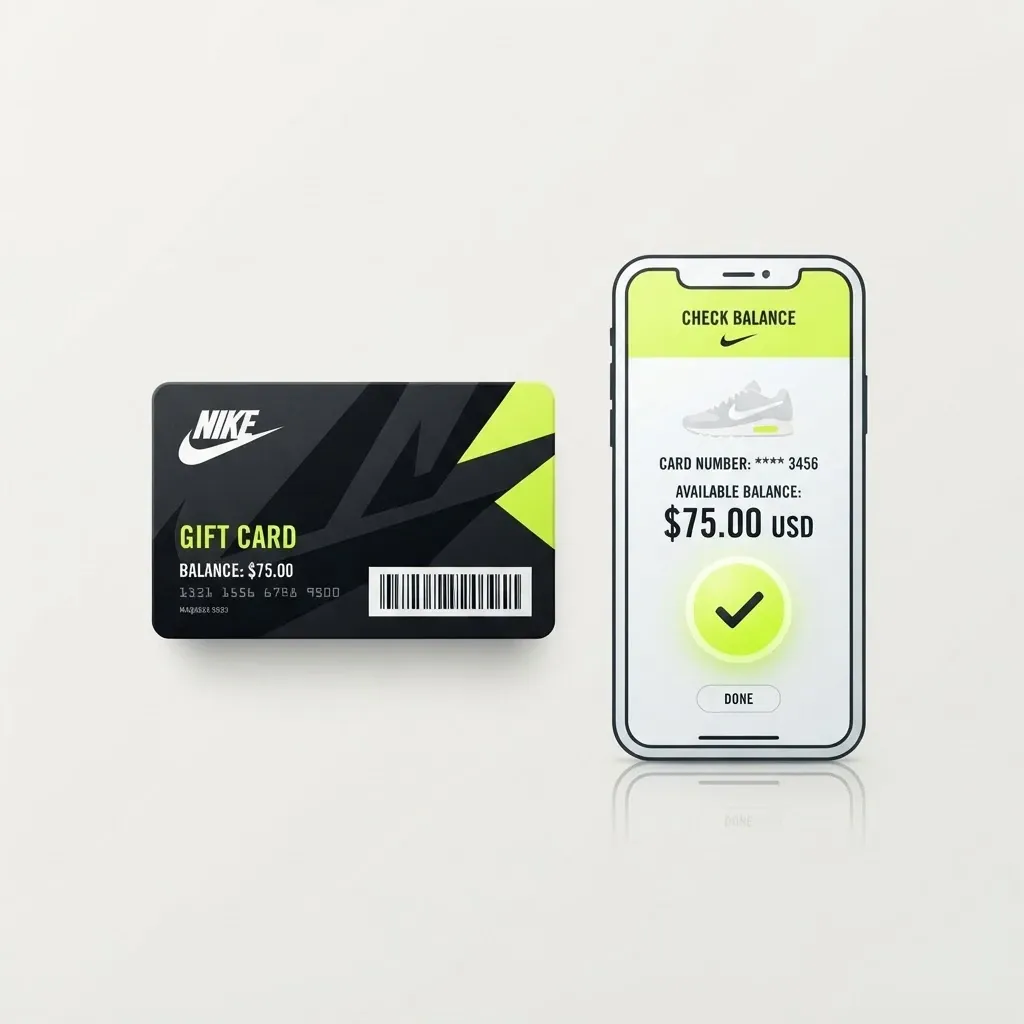
How to Check Your Nike Gift Card Balance
1 month ago
If you have a Nike Gift Card and want to know how much money is left on it, checking the balance should be your first step. Your card may still contain its full original value, or part of the balance may have been used during an earlier purchase. Knowing the current balance helps you understand exactly what you have before using the card or deciding to sell it. Checking your Nike Gift Card balance is also important if you are considering trading the card for cash. The balance tells you the value remaining on the card, while the amount you may receive from a gift card trader depends on the applicable trading rate. These two amounts are different, so you should confirm your balance before making assumptions about its Naira value. If you are in Nigeria and have a Nike Gift Card that you do not plan to use, **[GCBUYING](https://gcbuying.com/)** can be an option to explore for selling an eligible card. Before starting a trade, check your card's balance, type, currency, region, and status. In this guide, you will learn how to check your Nike Gift Card balance, what to verify before selling, and how GCBUYING can help you turn an eligible gift card into cash. ## Why Checking Your Nike Gift Card Balance Matters Checking your Nike Gift Card balance tells you how much value is currently available for eligible purchases. The original amount loaded onto the card does not always represent what remains. If you have already used the card for shoes, clothing, or other Nike purchases, the available balance may be lower. I always recommend checking the current amount before making another purchase because it gives you a clear starting point. Your balance is equally important if you are thinking about selling your Nike Gift Card. The remaining balance and resale value are not the same thing. The balance shows what is available on the card, while the resale amount depends on the trading rate offered for that particular card. This distinction helps you avoid unrealistic expectations when considering a gift card trade. Before I decide to sell, I also check whether the card is physical or digital, whether it has been used, and which country or currency it belongs to. These details can affect whether the card is eligible for trading. If I want to sell through GCBUYING, I can then check whether my Nike Gift Card is currently supported and review the applicable trading requirements before submitting it. ## How to Check Your Nike Gift Card Balance Checking your Nike Gift Card balance is a simple process when you use Nike's official balance-checking option. You only need your gift card number and PIN to see the amount currently available. For a physical card, these details are generally found on the back of the card, while digital gift cards provide them through the delivery email. Nike also provides other ways to check a balance, including assistance at participating Nike-owned stores and through customer support. ### Use Nike's Official Balance Checker The easiest method is to use Nike's official gift card balance checker. Open Nike's gift card balance page and enter the required gift card number and PIN. After the information is accepted, Nike displays the current balance associated with the card. Using the official Nike page is preferable to relying on random websites that claim to check gift card balances. It gives you the balance directly from the issuer and helps you avoid entering sensitive card information into an unfamiliar website. ### Find the Details on a Physical Card If you have a physical Nike Gift Card, look at the back of the card for the information required to check the balance. Nike states that both the gift card number and PIN are located there. Depending on the card design, you may need to reveal the PIN before using it. I recommend checking each digit carefully before entering the information online. A small typing mistake can prevent the balance checker from identifying the card correctly, so accuracy matters when checking the remaining value. ### Check a Digital Nike Gift Card For a digital Nike Gift Card, the required information is available through the email used to deliver the card. Open the delivery email and select "View My Gift Card." Nike may ask you to enter the email address where the card was sent and verify the email before showing the digital card information. The page can then display the balance, card number, and PIN. This makes it easier to confirm the current value without needing a physical card. ### Check the Balance at a Nike Store You may also be able to check your Nike Gift Card balance at a Nike-owned retail store that accepts gift cards. Nike recommends checking its store information to confirm whether a particular location provides gift card services. This option can be useful when you have difficulty accessing the online balance checker or prefer in-person assistance. Before visiting a store, confirm that the location accepts Nike Gift Cards so you do not make an unnecessary trip. ### Contact Nike Customer Support If the balance does not appear correctly or your card shows a problem, contacting Nike can be the next step. Nike advises customers who purchased a card directly from Nike, Nike.com, or the Nike App to contact Nike for assistance when an unused card unexpectedly shows a zero balance. If the card was received as a gift or purchased from another retailer, Nike directs customers to contact the gift giver or retailer for help. ### Keep Your Card Information Secure Your Nike Gift Card number and PIN should be treated as sensitive information. Nike warns that gift cards should be treated like cash and states that it is not responsible for cards that are lost, stolen, destroyed, or used without permission. When checking your balance, use Nike's official website or an appropriate Nike support channel rather than entering your details into an unknown balance-checking website. If you are considering selling an eligible card through GCBUYING, only provide the information requested during the official trading process. Checking your Nike Gift Card balance before using or selling the card gives you a clearer understanding of its current value. You can use Nike's official online balance checker with your card number and PIN, while digital cardholders can retrieve their details from the delivery email. Store assistance and customer support are additional options when you need help. Once you know the exact remaining balance, you can make a more informed decision about whether to use the card or explore an eligible gift card trade through GCBUYING. ## How GCBUYING Helps You Sell Your Nike Gift Card If you have a Nike Gift Card that you do not plan to use, GCBUYING gives you a way to explore its resale value instead of leaving the card unused. GCBUYING currently lists Nike Gift Cards among its supported categories, with multiple Nike card types available for trading. The process is designed to keep the important steps in one place, from selecting your card to submitting its details for verification. Before selling, you should check your card balance, type, currency, and other required information so you can provide accurate details during the trade. - Create your GCBUYING account - Select Nike gift card - Enter your card information - Wait for card verification - Review the available offer - Receive your payment Selling a Nike Gift Card through GCBUYING involves several straightforward steps. You select Nike from the supported gift card categories, provide the requested information, submit the card for verification, review the applicable offer, and complete the transaction. The most important thing is to provide accurate card details and check the current offer rather than relying on outdated rates. If your Nike Gift Card is eligible and you no longer need it, GCBUYING provides an option to explore its current trading value and convert it into cash. ## Common Mistakes When Checking or Selling a Nike Gift Card Checking your Nike Gift Card balance looks simple, but a few mistakes can cause confusion or problems when you decide to sell it. Avoid these common errors: - Assuming the original balance is still available - Using unofficial balance-checking websites - Selecting the wrong card type - Ignoring currency or region - Sharing card details carelessly - Relying on outdated rates - Submitting incorrect information ## Final Thoughts Knowing how to check your Nike Gift Card balance helps you understand exactly how much value remains on your card before you use or sell it. Always check the balance through an official method and confirm your card number, PIN, type, currency, and region. These details become especially important when you are preparing a card for trading because your remaining balance does not automatically equal its resale value. If you no longer need your Nike Gift Card, GCBUYING provides an option to explore its trading value. Before submitting your card, check the current offer and make sure you provide accurate information for verification. Rates and trading conditions can change, so relying on old screenshots or unofficial offers may give you the wrong expectation. The main goal is to make an informed decision. Check your Nike Gift Card balance first, protect your card details, and review the current GCBUYING requirements before starting a
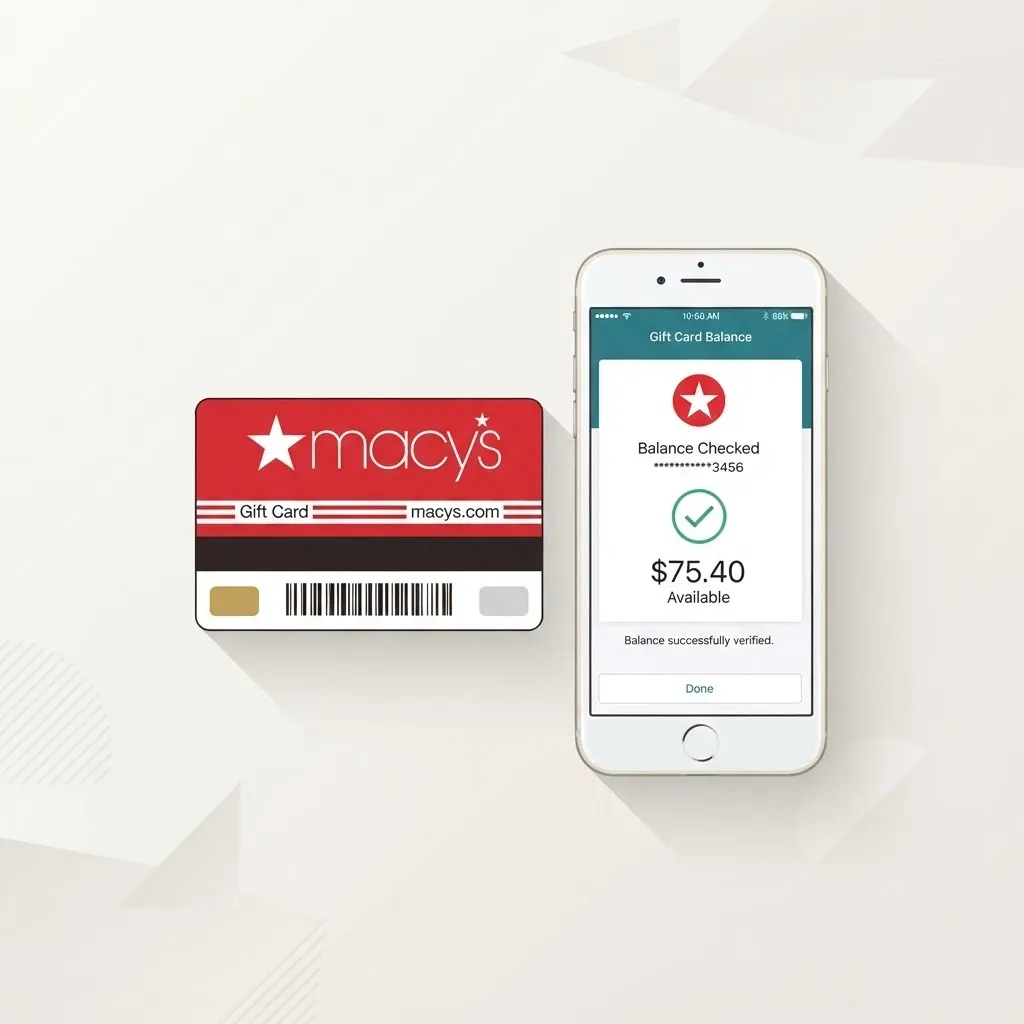
How to Check Your Macy's Gift Card Balance
2 months ago
If you have a Macy's Gift Card and want to know how much value remains on it, checking the current balance is the best place to start. The amount originally loaded onto the card may not be the same as the amount still available, especially if the card has already been used. Knowing your current balance helps you make a clear decision about whether to use the card, keep it for later, or consider selling it. Your Macy's Gift Card balance is also important if you are thinking about trading the card for cash. The balance tells you how much value remains on the card, while the amount you may receive from a gift card trader depends on the applicable trading rate. These are separate values, so you should confirm your balance before trying to estimate what your card could be worth in Naira. If you are in Nigeria and have a Macy's Gift Card that you do not need, **[GCBUYING](https://gcbuying.com/)** can be an option to explore for selling an eligible card. Before starting a trade, you should verify the balance, card type, currency, and status. In this guide, you will learn how to check your Macy's Gift Card balance, what details to confirm before selling, and how GCBUYING can help you turn an eligible gift card into cash. ## What Your Macy's Gift Card Balance Really Tells You Your Macy's Gift Card balance shows how much value is currently available on the card. It is worth checking this amount before making a purchase because the original value printed or loaded onto the card may no longer be available. Previous purchases, partial payments, or other transactions can reduce the remaining balance. When you know the current balance, you have a clearer picture of what your card can actually be used for. The balance also becomes important when you are considering selling your Macy's Gift Card. A card's remaining balance is different from its resale value. For example, if your card has a certain amount remaining, that does not automatically mean you will receive the same amount in Naira when you trade it. The final payout depends on the applicable gift card trading rate and the requirements of the platform you choose. Before moving forward with a sale, I recommend confirming the balance and checking whether the card is unused or partially used. You should also keep the card number and CID secure until you are ready to submit the card through a legitimate trading process. Once these details are confirmed, you can check whether GCBUYING currently accepts your Macy's Gift Card and review the applicable trading information before making your decision. ## How to Check Your Macy's Gift Card Balance Checking your Macy's Gift Card balance is simple when you use Macy's official channels. The online balance checker requires your gift card number and CID number. If you prefer not to check online, Macy's also provides customer service support for gift card inquiries. Before entering your details, make sure you have the correct card with you and avoid sharing its information with anyone who claims they can check the balance for you. ### Use Macy's Official Balance Checker The most direct way to check your balance is through Macy's official gift card balance page. You need to enter the required card information and follow the instructions provided on the page. Using Macy's own website helps you avoid unreliable third-party balance checkers that may ask for unnecessary information. Once the details are accepted, you can see the balance associated with your gift card and use that information when deciding what to do with it. ### Locate Your Macy's Gift Card Number Before checking your balance, find the gift card number on your physical or digital card. A physical Macy's Gift Card contains the relevant card information, while a digital gift card normally provides the details through its delivery email. Enter the number exactly as shown. If you have more than one Macy's Gift Card, check each card separately so you do not accidentally associate the balance of one card with another. ### Find the CID Number Macy's balance checker also requires a CID number. This security detail is associated with the gift card and should be kept private. When you have a physical card, carefully check the card for the required information. For a digital card, review the original gift card email for the details provided. Do not send your CID to strangers through messaging apps or social media. You only need to provide it when using a legitimate Macy's service or authorized trading process. ### Check a Physical Macy's Gift Card If you have a physical Macy's Gift Card, keep it nearby while checking the balance online. Having the card in front of you makes it easier to enter the card number and CID correctly. If the card has been used before, the balance may be lower than its original value. Checking the current amount before shopping or selling gives you a more accurate picture of what remains available on the card. ### Check Your Digital Macy's Gift Card A Macy's eGift Card can also be checked using the appropriate official balance-checking method. First, locate the original email or digital delivery message containing your gift card information. Keep that message secure because it may contain details needed to access the card. If you are planning to sell the card, avoid redeeming it or forwarding the complete gift card information until you have confirmed the trading requirements and are ready to submit it through a legitimate platform. ### Contact Macy's Customer Service If you have difficulty checking the balance online, you can contact Macy's through its published customer service channels for gift card assistance. Macy's provides a dedicated phone number for gift card balance inquiries. Using contact information published by Macy's is safer than calling a number provided by an unknown person. Have your card available when contacting support, but only provide the information requested through the legitimate customer service process. Once you have checked your Macy's Gift Card through an official channel, record the current balance for your own reference. Remember that the balance can change if the card is used, so an old balance should not be treated as the current amount. If you intend to sell the card, keep the card number and CID secure and confirm its status before submitting anything. After verifying the balance, you can move on to checking the card's eligibility and the current trading requirements of GCBUYING. ## How GCBUYING Helps You Sell Your Macy's Gift Card If you have checked your Macy's Gift Card balance and decided that you would rather receive cash than use it at Macy's, GCBUYING provides a platform for selling eligible gift cards. GCBUYING currently has a dedicated Macy's gift card category and explains that sellers can submit eligible cards for cash, Naira, or crypto. Before you begin, check the current Macy's listing, requirements, and rate because supported card types and offers can change. ### Create or Access Your GCBUYING Account Start by registering for a GCBUYING account or logging into your existing account. GCBUYING's published trading instructions explain that sellers can access their dashboard after creating an account and then select Sell Gift Card to begin. Having an account also gives you a place to manage your transaction and monitor the funds credited after successful processing. After creating account follow the below given steps: - Select Macy's as your card type - Enter your card details carefully - Check the current exchange rate - Submit the card for verification - Receive your payment Selling your Macy's Gift Card through GCBUYING starts with proper preparation. Check the balance first, confirm that your card meets the current requirements, select the correct Macy's category, enter the requested information accurately, and review the current exchange rate before submitting. GCBUYING's dedicated Macy's page also states that it accepts fully funded and unused Macy's Gift Cards, so confirm your card's status before beginning the trade. ## Final Thoughts Checking your Macy's Gift Card balance should always come before you decide to spend or sell it. Macy's provides an official online balance checker where you enter your 15-digit card number and CID. You can also check a physical card in a Macy's store or contact the Gift Card Hotline. Using these official options helps you confirm the actual remaining balance instead of relying on an assumption based on the card's original value. If you have a Macy's Gift Card you do not plan to use, GCBUYING currently lists Macy's among the gift cards it accepts. Its published process involves signing in, selecting Sell Gift Card, choosing the appropriate card type, entering the card amount and details, and submitting the trade for processing. GCBUYING also advises sellers to check the current exchange rate before selling because rates can change. Before you submit your card, confirm its balance, card type, and status, then review the current GCBUYING requirements and offer. Keep your Macy's card number and CID private until you are ready to complete a legitimate transaction. GCBUYING's current information states that fully funded and unused Macy's Gift Cards are accepted, so checking these details first can help you avoid an unsuccessful submission.
How to Check Your Nordstrom Gift Card Balance
2 months ago
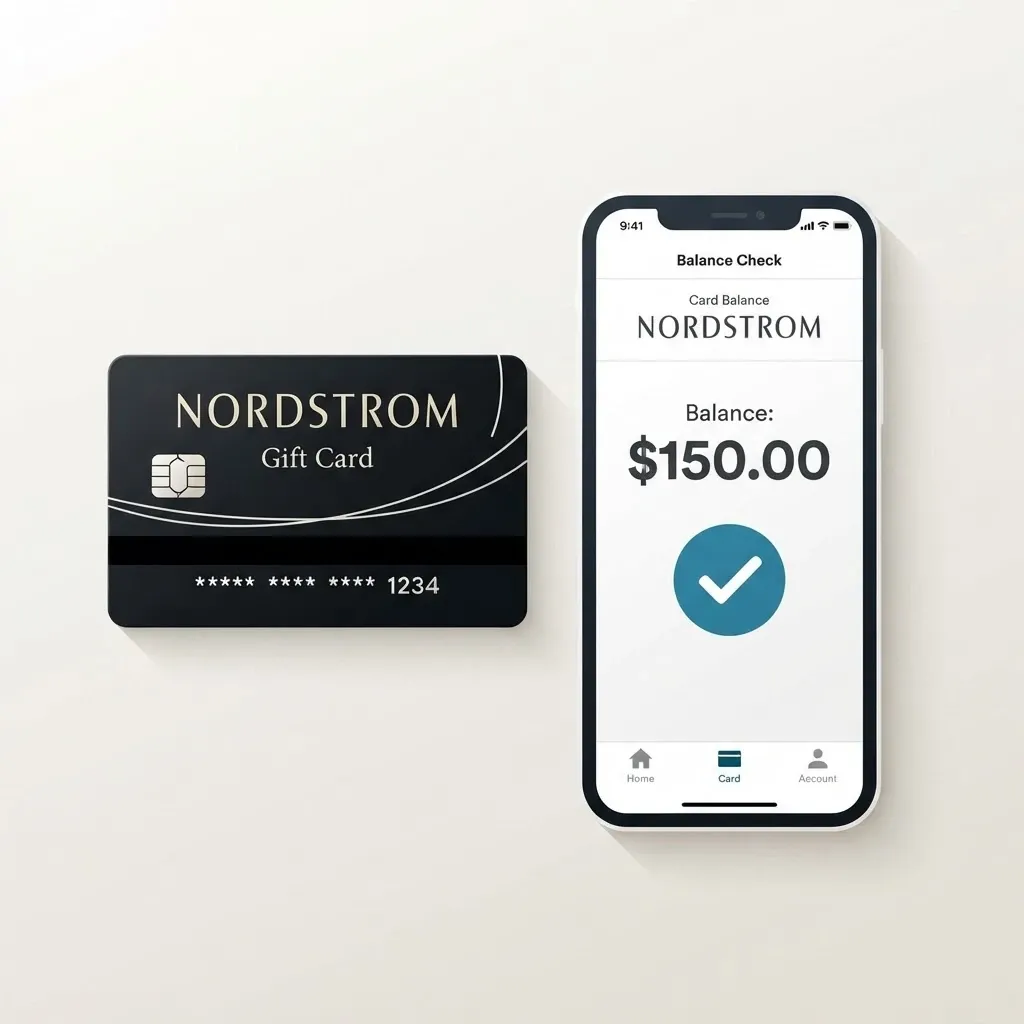
If you have a Nordstrom Gift Card and want to know how much value remains on it, checking the current balance is the right place to start. The amount originally loaded onto the card may not be the same as the amount still available, particularly if the card has already been used. Confirming the balance gives you a clear idea of the card's current value before you decide to spend it, keep it, or sell it. Knowing your Nordstrom Gift Card balance is also important if you are considering trading the card for cash. The balance represents the value remaining on the card, while its resale value depends on the trading rate available for that particular card. These amounts should not be confused when estimating how much you could receive from a gift card trading platform. If you are in Nigeria and have a Nordstrom Gift Card that you do not plan to use, **[GCBUYING](https://gcbuying.com/)** can be an option to explore for selling an eligible card. Before starting a trade, confirm the balance, card type, currency, and status. In this guide, you will learn how to check your Nordstrom Gift Card balance, what details to verify before selling, and how GCBUYING can help you turn an eligible gift card into cash. ## How to Check Your Nordstrom Gift Card Balance Checking your Nordstrom Gift Card balance is straightforward when you use Nordstrom's official balance-checking options. ### Visit Nordstrom's Balance Checker The easiest option is to use Nordstrom's official gift card balance page. Nordstrom provides a dedicated Check Gift Card Balance section where you can enter your gift card information. The official page asks for two details, your gift card number and your access number or code. After entering both details, select the balance-check option to see how much value remains on the card. ### Locate Your Gift Card Number If you have a physical Nordstrom Gift Card, look at the card for the gift card number. You may also need the access number or code shown on the card. Enter these details carefully when checking the balance. If you have a digital Nordstrom Gift Card, look through the original email or digital delivery message for the required information. Keep these details private because they can be used to access the card's value. ### Check a Physical Gift Card A physical Nordstrom Gift Card can be checked online using the official Nordstrom balance checker. Keep the card with you while entering the required information so you can verify each number before submitting it. Nordstrom specifically advises customers to treat gift cards like cash and never share the gift card number or PIN. If you plan to sell the card later, keeping the physical card and its details secure is even more important. ### Check a Digital Gift Card If your Nordstrom Gift Card was delivered digitally, find the original email containing the card details. You can use the information provided there to check the balance through Nordstrom's official balance-checking page. Avoid forwarding the email or copying the complete card details into an unfamiliar website. Nordstrom warns customers about fraudulent websites and recommends checking gift card balances through its official website or the official phone number provided by the company. If you cannot check the balance online, Nordstrom also provides a phone option for gift card balance inquiries. ### Check the Balance Before Selling If you are planning to sell your Nordstrom Gift Card, check the balance before submitting it to a trading platform. Knowing the current balance helps you avoid using the original denomination as an assumption about the card's present value. It also gives you the information needed to review your selling options more accurately. Once you have confirmed the balance, check the card's type, currency, and condition before proceeding with GCBUYING or another legitimate trading platform. Checking your Nordstrom Gift Card balance should always begin with an official Nordstrom channel. Once you know the actual remaining balance, you can make a more informed decision about using the card or exploring its resale options through GCBUYING. ## What to Verify Before Selling Your Nordstrom Gift Card Before selling your Nordstrom Gift Card, take a few minutes to confirm its details. This helps you avoid submitting incorrect information and gives you a clearer idea of what you are trading. Nordstrom says gift cards should be treated like cash and that the balance can be checked online, in a store, or by phone. - Confirm the current balance - Check whether the card has been used - Verify the card format - Check the card's currency and region - Review GCBUYING's current requirements - Keep your card details secure Do not share your Nordstrom card number or access code with strangers. Nordstrom specifically advises customers to treat gift cards like cash and never share the card number or PIN. If you decide to sell, provide the required information only through the legitimate trading process you have chosen. ## How GCBUYING Helps You Sell Your Nordstrom Gift Card If you have checked your Nordstrom Gift Card balance and decided that you would rather receive cash than use the card for shopping, GCBUYING provides a platform for trading eligible Nordstrom Gift Cards. GCBUYING currently lists Nordstrom among its supported gift cards and says sellers can exchange eligible physical or digital cards for cash, Naira, or cryptocurrency. Its published process involves selecting Nordstrom, entering the card details and amount, reviewing the exchange rate, and submitting the trade for processing. ### Set Up Your GCBUYING Account Start by creating an account on GCBUYING or logging into your existing account. According to GCBUYING, sellers can register through its website or use its mobile applications before accessing the gift card selling features. Once you are logged in, you can access your dashboard and select the option to sell a gift card. Having an account also gives you a place to monitor your transaction and manage funds after a successful trade. ### Select Nordstrom from the Gift Card Options After choosing Sell Gift Card, select Nordstrom if it is currently available for your particular card. GCBUYING's Nordstrom page specifically provides a trading option for Nordstrom Gift Cards. Before continuing, make sure the card you have matches the selected category. ### Enter Your Card Information GCBUYING's published Nordstrom process asks sellers to enter relevant card details, including the card code and amount. Take your time when entering this information and compare it with your actual card before submitting the trade. If you have a physical card, make sure any required image is clear. If you have a digital card, provide the required e-code information through the appropriate GCBUYING process. Accurate information helps the platform review your submission correctly. ### Review the Current Nordstrom Rate Before confirming your trade, check the rate currently offered for your Nordstrom Gift Card. GCBUYING states that Nordstrom rates can change according to supply and demand and recommends checking its live exchange rate before selling. This means you should not base your expected payout on a rate from an old article, previous transaction, or screenshot. The rate displayed when you are ready to trade is the information you should use for your decision. ### Submit Your Card for Verification Once you have reviewed the information and are comfortable proceeding, submit the trade through GCBUYING. The platform explains that gift card verification is used to confirm validity, eligibility, and other relevant details before a transaction is approved. This verification process can also help identify invalid or previously used cards. As a seller, providing genuine card information and following the instructions carefully can help avoid unnecessary problems during the review. ### Choose a Suitable Payment Method GCBUYING currently lists several payout options, including Naira bank accounts, mobile money, Bitcoin, Litecoin, and USDT addresses. After your transaction has been successfully processed, the platform says the equivalent value is credited to your GCBUYING account, after which you can withdraw your funds. The payment options available to you may depend on the current platform and transaction conditions, so review the available choices before completing your trade. Selling your Nordstrom Gift Card through GCBUYING starts with knowing exactly what you have. Check the balance first, confirm that your card meets the current requirements, select Nordstrom from the available gift card options, and enter the requested information carefully. ## Final Thoughts Checking your Nordstrom Gift Card balance is the first step toward understanding what your card is actually worth. Nordstrom provides an official online balance checker where you can enter your gift card number and access number or code. The company also advises customers to treat gift cards like cash and keep their card details private. If you have confirmed your balance and decided that you would rather sell the card, GCBUYING can be an option for trading eligible Nordstrom Gift Cards. Before submitting your card, check the current GCBUYING requirements and rate. The safest approach is to verify your Nordstrom Gift Card before making any decision. Confirm the remaining balance, card type, region, and status, then review the current trading information before submitting it. Never share your card number or access code with unknown individuals. If you choose GCBUYING, use its official platform and follow the current trading instructions. This gives you a clearer understanding of your card and helps you make a more informed decision about turning an unused Nordstrom Gift Card into cash.