Blogs
How to Check Your Best Buy Gift Card Balance
3 months ago
If you have a Best Buy Gift Card and want to know how much value remains on it, checking the current balance should be your first step. The balance tells you how much money is still available for eligible Best Buy purchases. Your current balance may be different from the card's original value if you have already used part of it, so checking the balance gives you a more accurate picture of what the card is worth. Knowing your balance is also important if you are considering selling your Best Buy Gift Card. The amount remaining on the card is different from its resale value in Nigerian Naira. Your potential payout depends on the applicable gift card trading rate, which can change over time. Therefore, you should confirm your balance first and then check the current rate before estimating what you may receive from a gift card trading platform. If you are in Nigeria and no longer need your Best Buy Gift Card, GCBUYING can be an option for selling an eligible card. Before starting a trade, confirm the card balance, type, currency, and status. In this guide, you will learn how to check your Best Buy Gift Card balance, what to verify before selling, how **[GCBUYING](https://gcbuying.com/)** can help, and which common mistakes you should avoid during the process. ## Why You Should Check Your Best Buy Gift Card Balance Before using or selling your Best Buy Gift Card, you should confirm how much value is actually available on it. The amount originally loaded onto the card may not be the same as the current balance if you have already made a purchase. Checking the balance gives you a reliable figure and helps you avoid estimating its value based only on the original denomination. Here are the main reasons to check your balance: - **Confirm the remaining value:** Know exactly how much is available. - **Avoid outdated information:** A previous balance may no longer be accurate. - **Check previous usage:** Identify whether some value has already been spent. - **Prepare for selling:** Know the card's current value before starting a trade. - **Verify the card status:** Make sure the card is active and usable. - **Confirm card details:** Check that the information belongs to the correct card. - **Protect your information:** Use official Best Buy channels when checking the balance. - **Make an informed decision:** Understand the card's current value before selling. The balance is especially important if you plan to sell your Best Buy Gift Card through GCBUYING. Your current balance tells you the value available on the card, while your potential Naira payout depends on the applicable trading rate. Once you have confirmed the balance, you can review GCBUYING's current rate and requirements before deciding whether to proceed with the sale. This helps you approach the transaction with accurate information rather than relying on the card's original value or an outdated balance. ## How to Check Your Best Buy Gift Card Balance Checking your Best Buy Gift Card balance is an important step before you use the card or decide to sell it. The safest approach is to use Best Buy's official balance-checking options and enter the card information exactly as provided. Whether you have a physical card or a digital gift card, keep the card details available and protect them from unauthorized access. Once you know the current balance, you can make a better decision about using the card or checking its eligibility for trading through GCBUYING. ### 1. Use Best Buy's Official Balance Checker The first option is to use Best Buy's official website to check your gift card balance. Go to Best Buy's gift card section and look for the balance-checking option. You will generally need to enter the information requested by Best Buy, such as your gift card number and PIN. Enter each detail carefully and check the numbers before submitting the form. Using the official Best Buy website is preferable to relying on third-party balance-checking websites that may not be trustworthy. ### 2. Locate Your Physical Gift Card Details If you have a physical Best Buy Gift Card, check the front and back of the card for the required information. The card number and PIN are typically needed when checking the balance online. Depending on the card design, the PIN may be hidden under a protective covering. Reveal it carefully and make sure the numbers remain readable. Keep the physical card in a safe place after checking the balance, particularly if you are considering selling it later. ### 3. Check a Digital Best Buy Gift Card If your Best Buy Gift Card was delivered electronically, look for the original email or digital message containing the card. The message should provide the information needed to access or use the gift card. When checking the balance, use the details from the original delivery rather than information copied from an unknown source. If you plan to sell the digital card, keep the email secure because anyone who obtains the complete gift card information may potentially use the card before you complete your intended transaction. ### 4. Enter the Information Carefully When using Best Buy's balance-checking system, enter your gift card number and PIN exactly as they appear. Check each digit before submitting the request, especially if you are typing the information manually. A small error can cause the balance checker to reject the information or show an error. If the balance does not appear, review the details instead of immediately assuming that the card has no value. Make sure you are checking the correct card and entering the correct information. ### 5. What If Your Balance Seems Incorrect? If the balance you see is lower than expected, consider whether the card has been used previously. A purchase made with the card may have reduced the available balance. If you believe the displayed amount is incorrect, review your purchase information and contact Best Buy through its official customer support channels if necessary. Keep your receipt, order information, or other relevant records available. Avoid giving your card details to an unknown person who claims they can investigate the balance for you. ### 6. Keep Your Gift Card Information Private Your Best Buy Gift Card number and PIN should be treated as sensitive information. Do not publish a photograph of the card online or send the complete details to an unknown trader simply because they offer to check the balance. If you plan to sell the card, wait until you are using the proper trading process before providing the required information. Protecting your card details is particularly important for digital cards because the information can often be accessed immediately by anyone who receives the original email or code. Checking your Best Buy Gift Card balance is simple when you use the correct process and protect your information. Once you have confirmed the current balance, you will have a reliable starting point for deciding whether to keep the card, use it, or explore your selling options through GCBUYING. ## How GCBUYING Helps You Sell Your Best Buy Gift Card If you have checked your Best Buy Gift Card balance and decided that you would rather receive cash, GCBUYING currently lists Best Buy Gift Cards as a supported category. Its Best Buy trading page states that both physical and digital Best Buy Gift Cards can be exchanged for cash, Naira, or supported cryptocurrency options. The platform also advises sellers to check the live exchange rate before starting a trade because rates can change with market supply and demand. - Create your GCBUYING account - Select best buy gift card - Enter your card details - Review the current exchange rate - Submit your trade for verification - Keep your information accurate The process is easier when you complete the balance check first. Once you know the card's actual balance and have confirmed that it meets the current requirements, you can review GCBUYING's live rate and submit the card through the appropriate selling process. This gives you a clearer basis for deciding whether selling your Best Buy Gift Card is right for you. ## Final Thoughts Checking your Best Buy Gift Card balance is an important step before you decide how to use the card. By using Best Buy's official balance-checking options, you can confirm the amount currently available and avoid relying on the original card value. If the card is physical, keep it secure after checking. If it is digital, protect the email or message containing the gift card details. Your card number and PIN should never be shared casually with unknown individuals or posted publicly. If you are in Nigeria and want to sell your Best Buy Gift Card, checking the balance first gives you a clear starting point. GCBUYING currently supports Best Buy Gift Cards and provides a process for submitting eligible cards for verification. Before starting a trade, confirm that your card meets the current requirements and check the applicable rate shown on the platform. Gift card rates can change, so an old rate from a previous transaction should not be used to estimate your current payout. The best approach is to verify everything before submitting your card. Confirm the balance, card type, currency, and status, then review GCBUYING's current requirements and rate. Enter your card information accurately and keep your transaction details available until the trade is completed. These simple steps can help you understand your Best Buy Gift Card more clearly and make a more informed decision when you are ready to sell it.
How to Check Your GameStop Gift Card Balance
3 months ago
If you have a GameStop Gift Card and want to know how much value remains on it, checking the current balance should be your first step. Your balance tells you how much money is still available on the card, while the original amount loaded onto it only tells you its initial value. If you have already used part of the card, the remaining balance may be lower than the amount printed on the card or shown in the original purchase information. Checking your balance is especially important if you are thinking about selling the GameStop Gift Card. The amount remaining on the card is different from its resale value in Nigerian Naira. If you are in Nigeria and no longer need your GameStop Gift Card, you can check whether it is eligible for sale through GCBUYING. Before starting a trade, confirm the balance, card type, currency, and current rate. This guide explains how to check your GameStop Gift Card balance, understand its potential Naira value, avoid common mistakes, and prepare your card for selling through **[GCBUYING](https://gcbuying.com/)**. ## Why You Should Check Your GameStop Gift Card Balance Before you use or sell a GameStop Gift Card, it is important to know exactly how much value remains on it. The original amount loaded onto the card may not be the same as the current balance if part of the card has already been used. Checking the balance gives you a reliable figure and helps you avoid making decisions based on the card's original denomination. Here are the main reasons to check your GameStop Gift Card balance: - Confirm the remaining value - Avoid incorrect assumptions - Check previous usage - Prepare for selling - Verify the card status - Check important details - Protect your card - Make an informed decision Checking the balance is particularly useful if you plan to sell your GameStop Gift Card through GCBUYING. Your card balance tells you how much value is available, while the resale amount depends on the applicable trading rate. Once you know the current balance, you can check the current GCBUYING rate and review the platform's requirements before submitting your card. This keeps the selling process based on accurate information rather than assumptions. ## How to Check Your GameStop Gift Card Balance Checking your GameStop Gift Card balance is an important step before you use the card or consider selling it. GameStop provides official ways to verify the available balance, so you should use those options instead of relying on an unfamiliar third-party website. Before you begin, keep your GameStop Gift Card nearby and make sure you have the card number and any required security information available. Once you confirm the balance, you will have a clearer understanding of the card's current value and can decide what to do next. ### 1. Check Your Balance Through GameStop The first option is to use GameStop's official website and its gift card services. Look for the gift card balance-checking option and follow the instructions provided. You may be asked to enter information printed on your card, such as the card number and PIN. Enter the information carefully because a single incorrect digit can prevent the system from finding your card. Using GameStop's official website also reduces the risk of giving your card information to an unreliable third-party balance checker. ### 2. Find the Card Number on a Physical Gift Card If you have a physical GameStop Gift Card, you will need the identifying information printed on the card. The card number is generally found on the card itself, while a PIN or security code may be protected by a scratch-off covering. Check the card carefully before entering anything online. If a protective covering needs to be removed to reveal the PIN, scratch it gently so you do not damage the information underneath. Keep the physical card safe after checking the balance. ### 3. Check a Digital GameStop Gift Card A digital GameStop Gift Card is delivered electronically, so you will normally find the card number and related information in the email or digital message containing the gift card. Open the original message and locate the information required for a balance inquiry. Avoid forwarding the email to people you do not trust because the recipient may gain access to the gift card details. If you are planning to sell the digital card, keep the original email secure until you have confirmed its eligibility and decided how you want to proceed. ### 4. Make Sure You Enter the Correct Information When checking your GameStop Gift Card balance, carefully enter every required number exactly as it appears on the card. Do not add spaces, change digits, or accidentally enter information from another gift card. If the balance checker says that your details are invalid, review the card number and PIN before trying again. Repeated failed attempts can create unnecessary confusion. Taking a moment to compare the information on your card with what you enter online can help you get an accurate balance result. ### 5. What If the Balance Does Not Appear? Sometimes the balance you see may not match what you expected. Before assuming that the card has a problem, check whether you have used the card previously or whether someone else has redeemed part of its value. You should also make sure you are checking the correct card. If the information is correct but you still cannot confirm the balance, contact GameStop through its official customer support channels. Keep your purchase information or other proof of ownership available if support asks for additional details. ### 6. Keep Your Gift Card Information Private Your GameStop Gift Card number and PIN can be valuable, so you should treat them as sensitive information. Do not post photographs of the card online or send the complete code to someone simply because they claim they can check the balance for you. Once you know the current balance and confirm that the card is still eligible for your intended use, you can move on to reviewing your selling options, including the current requirements and rate available through GCBUYING. ## What to Check Before Selling Your GameStop Gift Card Once you have confirmed your GameStop Gift Card balance, do not rush straight into a trade. A few details can affect whether the card is suitable for selling and how smoothly the transaction goes. Before submitting your card, check its type, currency, status, and other information carefully. This is also the right time to make sure you understand the requirements of the platform you plan to use. If you intend to sell through GCBUYING, confirming these details first can help you avoid submitting incorrect information or choosing the wrong card category. - Confirm the current balance - Check whether the card is used - Identify the card type - Confirm the currency and region - Check the current GCBUYING requirements - Protect your card details Preparing your GameStop Gift Card properly can make the selling process much easier. Confirm the balance, check whether the card is unused, identify its format, verify the currency and region, and review GCBUYING's current requirements before submitting anything. You should also keep the card number and PIN secure throughout the process. ## How GCBUYING Helps You Sell Your GameStop Gift Card If you have checked your GameStop Gift Card balance and decided to sell it, GCBUYING can give you a straightforward way to submit an eligible card for trading. Before starting, you should check whether GameStop Gift Cards are currently supported on the platform and review the available requirements for your specific card. Once you have confirmed that your card is eligible, you can move through the selling process using your GCBUYING account. - Select the GameStop gift card category - Enter your card information - Review the applicable rate - Submit your card for verification - Keep your transaction information ### Why Balance Checking Comes First The balance check you completed earlier gives you an important starting point. It helps you know what value is associated with the card before you begin the selling process. You can then compare that information with the details you enter on GCBUYING and check whether everything matches. By confirming your balance, card type, currency, and eligibility before submitting the card, you can approach the transaction with accurate information. Always review GCBUYING's current requirements and applicable rate at the time you are ready to trade. ## Final Thoughts Checking your GameStop Gift Card balance is a useful first step before you decide whether to use, keep, or sell the card. By checking through an official GameStop channel, you can confirm the amount remaining and avoid relying on assumptions about the card's original value. You should also keep your card number and PIN private throughout the process, especially if you are considering selling the card. If you decide to sell your GameStop Gift Card in Nigeria, take a few minutes to confirm the card type, currency, status, and eligibility before submitting it. GCBUYING can provide a convenient option for trading eligible gift cards, but you should always check the platform's current GameStop requirements and applicable rate before starting your transaction. Rates and trading conditions can change, so information from an earlier transaction may no longer apply. Most importantly, approach the sale with accurate information. Confirm your balance first, enter the correct card details, review the current GCBUYING offer, and submit the card through the proper trading process. These simple steps can help you understand your GameStop Gift Card better and make a more informed decision when you are ready to sell it.
How to Check Your Sephora Gift Card Balance
3 months ago
If you have a Sephora Gift Card and want to know how much value remains on it, checking the current balance should be your first step. Your gift card balance shows the amount still available for eligible purchases. The original value printed on the card may be different from the remaining balance if part of the card has already been used. Checking the balance becomes even more important if you are considering selling your Sephora Gift Card. The balance tells you the card's remaining value, while its resale value depends on the applicable gift card trading rate. For example, if a $100 card were valued at an illustrative rate of ₦650 per USD, the calculation would be $100 × ₦650 = ₦65,000. This is only an example and does not represent the current **[GCBUYING](https://gcbuying.com/)** rate. If you are in Nigeria and no longer need your Sephora Gift Card, you can check whether it is eligible for sale through GCBUYING. Before starting a transaction, confirm the balance, card type, currency, and current trading rate. In this guide, you will learn how to check your Sephora Gift Card balance, understand its potential Naira value, avoid common mistakes, and prepare an eligible card for selling through GCBUYING. ## Why You Should Check Your Sephora Gift Card Balance Before using or selling your Sephora Gift Card, it is important to know exactly how much value remains on it. The amount originally loaded onto the card does not always represent its current balance. A previous purchase, partial redemption, or other transaction may have reduced the available amount. Checking the balance first gives you a reliable figure to work with and helps you avoid making decisions based on the card's original denomination. Here are the main reasons to check your balance: - **Confirm your remaining value:** Know exactly how much is available. - **Avoid incorrect calculations:** Use the current balance instead of the original card value. - **Know whether the card was used:** Identify any previous deductions. - **Prepare for selling:** Confirm the amount before checking its resale value. - **Compare the current rate:** Review the applicable GCBUYING rate before trading. - **Avoid payment expectations:** Your card balance and Naira resale value are different. - **Verify card details:** Make sure the card information matches the balance you are checking. - **Protect your information:** Use trusted channels when checking your card. If you plan to sell your Sephora Gift Card, the balance is only the starting point. Your potential Naira payout depends on the applicable trading rate at the time of sale. Once you know the exact balance, you can check GCBUYING's current rate and determine whether selling the card makes sense for you. This approach gives you a clearer picture of the card's actual value before you submit it for trading. ## How to Check Your Sephora Gift Card Balance Checking your Sephora Gift Card balance is straightforward when you use Sephora's official tools. You can check the balance online through Sephora's website, use its dedicated balance-checking page, call Sephora's gift card support number, or visit a Sephora store. For an online check, Sephora says you need the 16-digit gift card number and 8-digit PIN. ### 1. What Information Do You Need? Before checking the balance, keep these details available: - 16-digit gift card number - 8-digit PIN - Your physical card or digital eGift Card Sephora confirms that both physical Gift Cards and eGift Cards use a 16-digit card number and an 8-digit PIN. For a physical card, the number and PIN are located on the back. You may need to scratch away the protective covering to reveal them. ### 2. How to Check a Physical Sephora Gift Card If you have a physical Sephora Gift Card, you can check its balance online through Sephora's official balance-checking page. Enter the 16-digit card number and 8-digit PIN, then select the option to check the balance. Sephora also allows you to check a physical card at a Sephora store by showing the card to a Beauty Advisor. You can also call 1-888-860-7897 to check your gift card balance. Sephora lists this number specifically for gift card balance inquiries. ### 3. How to Check a Digital Sephora Gift Card An eGift Card works in much the same way. Since it is delivered digitally, you do not have a physical card to inspect, but the eGift Card contains the required 16-digit card number and 8-digit PIN. You can enter these details on Sephora's official balance-checking page to see the available balance. Sephora also provides a balance-checking option through its website and mobile app. If you have the eGift Card stored on your mobile device, you can use the card details to check the balance rather than relying on an unofficial third-party service. ### 4. What If You Are Planning to Sell the Card? If you intend to sell your Sephora Gift Card, checking the balance before submitting it is particularly important. The balance gives you the actual amount remaining on the card, which you can then use when estimating its potential Naira value. Once you have confirmed the balance through Sephora's official channels, you can move to the next step by checking the card's eligibility and the current applicable GCBUYING rate before deciding whether to sell it. ## How to Calculate Your Sephora Gift Card Value in Naira Once you have checked your Sephora Gift Card balance, the next step is to understand what that balance could represent in Nigerian Naira. The calculation is simple, but you should keep one important distinction in mind. Your gift card balance is not automatically the same as its resale value. Sephora's official information shows that a gift card's balance represents the remaining amount available for eligible purchases. ### Start With Your Current Balance First, use the actual balance shown by Sephora rather than the original amount printed on the card. For example, if a $100 Sephora Gift Card still has its full $100 balance, you can use $100 as the starting amount. If only $75 remains, your calculation should begin with $75. A simple formula is: **Gift Card Balance × Applicable Rate = Estimated Naira Value** ### Example Using ₦650 Per USD Using ₦650 per USD as an illustrative rate, a $100 Sephora Gift Card would be calculated as: $100 × ₦650 = ₦65,000 If the balance were $75: $75 × ₦650 = ₦48,750 These examples are only for explaining the calculation. ₦650 is not being presented as the current GCBUYING Sephora rate. The actual rate you receive can be different. ## How GCBUYING Helps You Sell Your Sephora Gift Card If you have checked your Sephora Gift Card balance and confirmed that you do not need the card, GCBUYING provides a dedicated option for selling eligible Sephora Gift Cards in Nigeria. GCBUYING currently lists SEPHORA as a supported gift card category, with multiple card types available. Its Sephora trading page states that both physical and digital Sephora Gift Cards can be exchanged for cash, Naira, or supported crypto options. ### 1. How to Sell Your Sephora Gift Card on GCBUYING The process can be completed through the GCBUYING website or app: - **Create an account:** Sign up or log in to your GCBUYING account. - **Select Sephora:** Choose Sell Gift Card and select the Sephora category. - **Enter card details:** Provide the required card code and amount. - **Review the rate:** Check the exchange rate shown for your card. - **Submit the trade:** Send the card information for processing and verification. - **Receive payment:** GCBUYING states that payment is made after successful verification through supported payment methods. ### 2. Check the Rate Before You Sell The amount you receive in Naira depends on the applicable trading rate for your Sephora Gift Card. GCBUYING states that Sephora rates can change according to supply and demand, so you should check the live rate when you are ready to trade rather than relying on an old rate or screenshot. ### 3. Confirm Your Card Before Submission GCBUYING's current Sephora page states that it accepts fully funded and unused Sephora Gift Cards. Therefore, checking your balance before starting the transaction is particularly important. You should also make sure that the card details and amount you provide are accurate. Once you have confirmed the balance, reviewed the current rate, and verified that your card meets the platform's requirements, you can submit the Sephora Gift Card through GCBUYING for verification. This gives you a clearer idea of its potential Naira value before completing the trade. ## Final Thoughts Checking your Sephora Gift Card balance is a simple step, but it gives you important information before you decide what to do with the card. You can use Sephora's official balance-checking options to confirm the amount remaining. Whether you have a physical card or an eGift Card, make sure you use trusted Sephora channels and keep your card number and PIN private. GCBUYING currently lists Sephora Gift Cards among its supported trading categories and provides a process for submitting eligible physical or digital cards for verification. Before selling, confirm your balance, card type, currency, and eligibility, then review the current rate. Do not rely on an old rate or screenshot when estimating your payout. By checking these details first, you can understand your card's value more clearly and make a better-informed decision about selling it through GCBUYING.
How to Check Your Vanilla Visa Gift Card Balance
3 months ago
When I receive a Vanilla Visa Gift Card, one of the first things I want to know is how much money is actually available on it. Whether I plan to use the card for an online purchase, keep it for later, or sell it for cash, checking the balance gives me a clear picture of its value. Fortunately, Vanilla provides an official way to check the available balance online, and you can also check it by phone. You generally need your card number, Valid Through date, and security code to access the balance information. Knowing your Vanilla Visa Gift Card balance becomes even more important when you decide that you would rather convert the card into cash. Instead of guessing how much your card is worth, I recommend checking the balance first and then comparing your options. If you have an eligible Vanilla Gift Card that you do not intend to use, **[GCBUYING](https://gcbuying.com/)** provides a platform where you can submit your card for trading and check the applicable exchange rate before completing your transaction. In this guide, I will walk you through how to check your Vanilla Visa Gift Card balance, what information you need, what to do if the balance looks incorrect, and what you should consider before selling your card. I will also explain how GCBUYING can help you turn an eligible Vanilla Gift Card into cash through its gift-card trading process, so you can make a more informed decision about what to do with your remaining card value. ## What Is a Vanilla Visa Gift Card? A Vanilla Visa Gift Card is a prepaid card that can be used for eligible purchases wherever the card network is accepted, subject to the card's terms and the merchant's policies. Unlike a traditional debit card connected to a bank account, I can only spend the funds that have been loaded onto the gift card. That makes the available balance especially important because every purchase reduces the amount I have left to spend. ### Physical and Digital Vanilla Gift Cards Vanilla gift cards may come in different formats, including physical cards and digital versions. The exact appearance and instructions can vary depending on the card I have, so I should always follow the instructions provided with my specific card. The most important thing to remember is that the card's face value is not necessarily the same as its current available balance. For example, if I received a card loaded with $100 and have already spent $25, I should not assume that I still have $100 available. Checking the balance gives me the current amount I can use. This becomes particularly useful if I am considering selling my Vanilla Gift Card. Before I start a trade, I want to know exactly what I have and whether the card meets the requirements of the trading platform. GCBUYING currently lists Vanilla Gift Cards among the cards it accepts for trading, and its Vanilla-specific trading page advises users to check their card balance before submitting it for exchange. ## Why Should I Check My Vanilla Visa Gift Card Balance? I recommend checking the balance before making an important purchase or attempting to trade the card because it removes uncertainty. It allows me to: - Know exactly how much value remains on the card. - Avoid declined transactions caused by insufficient funds. - Confirm the card's available value before selling it. - Make better decisions about whether to spend or trade the card. - Compare the card's value with the current trading rate before starting a transaction. If I decide that I would rather convert an unwanted Vanilla Gift Card into cash, I can check GCBUYING's current rate before submitting my trade. GCBUYING states that its rates can vary according to market conditions, so checking the current offer is more useful than relying on an old rate mentioned in an article or social media post. ## How to Check Your Vanilla Visa Gift Card Balance Online If I want to know exactly how much money remains on my Vanilla Visa Gift Card, checking the balance online is usually the simplest option. Vanilla provides an official online balance-check service where I can view the available funds on my card. According to Vanilla, I need my Gift Card Number, Valid Through Date, and Security Code to check the balance. ### Step-by-Step: Check Your Vanilla Visa Gift Card Balance Online I can follow these steps to check my balance: 1. Locate my Vanilla Visa Gift Card 2. Go to the official Vanilla balance checker 3. Enter my card information 4. Submit the information and view my balance ## How to Sell a Vanilla Visa Gift Card on GCBUYING Once I have checked my Vanilla Visa Gift Card balance and confirmed that the card is valid, I can decide whether I want to keep using it or convert its value into cash. If I do not need the card for shopping, selling it can give me more flexibility because I can receive the value through a supported payout option instead of keeping money tied to a gift card. GCBUYING currently lists Vanilla Gift Card as a supported category and provides a dedicated process for sellers. ### Step 1: Create a GCBUYING Account or Log In I start by visiting GCBUYING and creating an account if I am a new user. If I already have an account, I simply log in and access my personalized dashboard. GCBUYING states that users can trade gift cards through its website or mobile apps, giving me the flexibility to choose the method that is most convenient for me. ### Step 2: Select Vanilla Gift Card After logging in, I select "Sell Gift Card" and choose Vanilla Gift Card from the available gift-card categories. Since GCBUYING supports different gift-card types, selecting the correct card category is important because rates and requirements can differ between cards. ### Step 3: Enter My Gift Card Details Next, I provide the information requested for my Vanilla Gift Card, such as the card value and relevant card details. Before submitting anything, I make sure that the information I enter matches my actual card. ### Step 4: Check the Current Exchange Rate Before I confirm my trade, I check the current rate offered for my card. This is an important step because gift-card exchange rates can change according to market conditions, including supply and demand. I should therefore avoid relying on an old rate I may have seen in a previous article or social media post. GCBUYING specifically advises sellers to check its live exchange rates before selling a Vanilla Gift Card. ### Step 5: Submit My Trade for Verification Once I am satisfied with the details and applicable rate, I submit the trade for processing. GCBUYING's stated process includes verification before payment is completed. I should make sure that my card is valid and that I have followed the submission instructions carefully to avoid unnecessary delays or rejection. ### Step 6: Receive My Payment After the gift card has been successfully verified and the transaction is processed, GCBUYING states that payment can be made through supported options, including bank transfer, mobile money, or cryptocurrency, depending on the available option for the transaction. For me, the biggest advantage of following this process is that I do not have to guess what my card is worth. I can first check my Vanilla Visa Gift Card balance, review the current GCBUYING rate, submit the correct card information, and then complete the trade. One important point is that I should always follow GCBUYING's current requirements displayed. ## Important Safety Tips When Checking Your Vanilla Visa Gift Card Balance When I check my Vanilla Visa Gift Card balance, I treat the card details as sensitive financial information. My card number, security code, and other details should never be shared casually because someone who obtains them could potentially attempt to use the card. I always make sure I am using the official Vanilla balance-check service and avoid websites that promise to check my balance through unofficial methods. Vanilla provides its official balance-check option for Visa Gift Cards and eGift Cards. - Use the official vanilla balance checker - Never share your complete card details - Be careful with "balance checker" websites - Protect my GCBUYING account - Check Everything Before Submitting a Trade The safest approach is to use official services, protect my card information, review every transaction carefully, and contact legitimate customer support when I need assistance. By taking these precautions, I can check my Vanilla Visa Gift Card balance more confidently and make a safer decision if I later choose to sell the card through GCBUYING. ## Final Thoughts Checking my Vanilla Visa Gift Card balance is a simple step, but it can make a big difference in how confidently I manage my card. Before I make a purchase or decide to sell, I want to know exactly how much value remains. I can use Vanilla's official balance-check service with my card number, Valid Through date, and security code. If I have difficulty checking online, Vanilla also provides a customer service option for cardholders. Once I know my balance, I can make a better decision about what to do next. If I want to keep the card, I know how much I have available to spend. If I would rather turn my unwanted Vanilla Gift Card into cash, I can check the current trading rate on GCBUYING and review its requirements before submitting my card. GCBUYING lists Vanilla Gift Cards among its supported gift-card categories and provides a dedicated trading process for eligible cards.
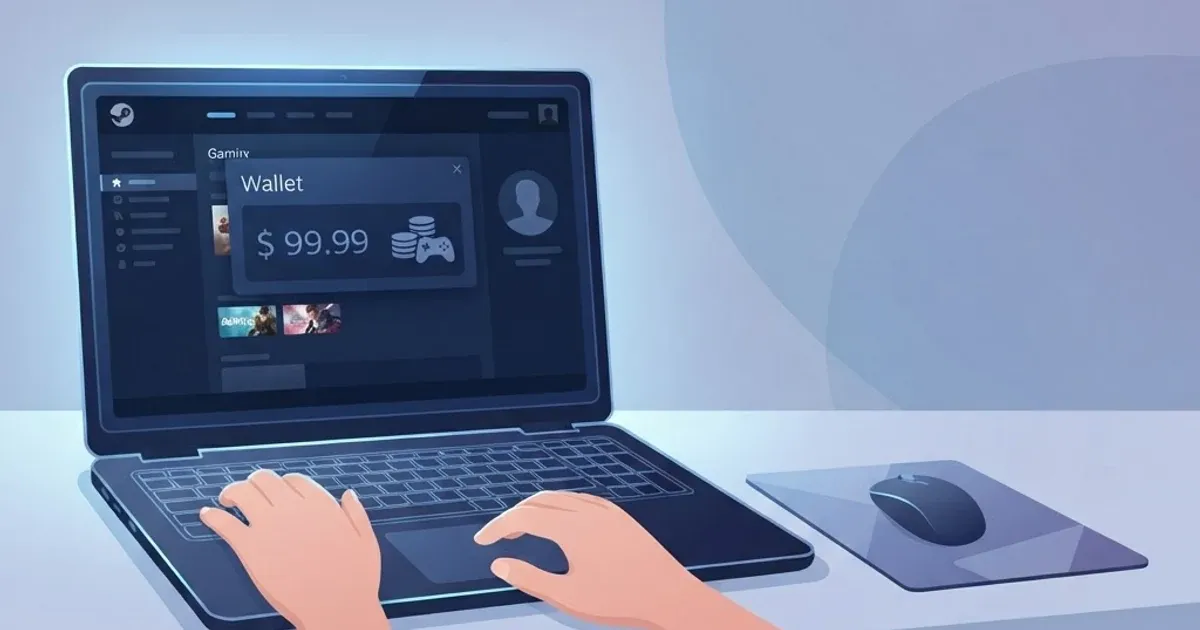
How to Check Your Steam Wallet Balance
3 months ago
If you use Steam and want to know how much money is available in your Steam Wallet, checking your current balance is the simplest way to confirm the funds you can use for eligible purchases. Your Steam Wallet balance can change after you buy games, downloadable content, software, or other items. Knowing the current amount helps you avoid relying on an old balance or the original value of a Steam Gift Card. If you have an unused Steam Gift Card and are considering selling it, there is another important distinction to understand. The card's denomination represents its original value, while your resale value depends on the applicable gift card trading rate. For example, if a $100 Steam Gift Card had an applicable rate of ₦650 per USD, the estimated value would be $100 × ₦650 = ₦65,000. This is only an illustrative calculation, not a current **[GCBUYING](https://gcbuying.com/)** rate. If you are in Nigeria and want to sell an eligible Steam Gift Card, GCBUYING can provide a way to trade it for Naira. Before starting, confirm the card details, check its status, and review the current applicable rate. This guide explains how to check your Steam Wallet balance, understand your card's value, avoid common mistakes, and prepare your Steam Gift Card for sale through GCBUYING. ## What Is a Steam Wallet Balance and Why Does It Matter? Your Steam Wallet balance is the amount of funds currently available in your Steam account for eligible purchases on Steam. You can use these funds for games, downloadable content, software, and other items supported by Steam. The balance can increase when you add funds or redeem a Steam Gift Card, and it can decrease when you make purchases. It is important to separate your Steam Wallet balance from the value of an unused Steam Gift Card. If you have already redeemed a $100 Steam Gift Card, the value becomes part of your Steam Wallet and can no longer be treated as an unused $100 gift card. If you still have an unused card, its denomination is the amount represented by the card, subject to its applicable currency and region. ## How to Check Your Steam Wallet Balance Checking your Steam Wallet balance is usually quick because the amount is displayed within your Steam account. You do not need to calculate the balance manually. Once you sign in, Steam shows the funds currently available in your Wallet, giving you a direct view of what you can spend on the platform. ### 1. Check Your Balance on the Steam Website You can check your Steam Wallet balance by signing in to your Steam account through the official Steam website. After signing in, open your account details and look for your Store & Purchase History or Account Details section. Your current Wallet balance is displayed as part of your account information. If you have recently redeemed a Steam Gift Card or added funds, the updated amount should appear in your Wallet. Checking this information directly through Steam is preferable to relying on a third-party website that claims to show your balance. ### 2. Check Your Balance in the Steam App You can also view your Wallet balance through the Steam application. After opening Steam and signing in, select your account details and look for the Wallet section. The available amount shown there represents the funds currently associated with your Steam account. The exact layout can differ depending on whether you are using the desktop application, mobile application, or website. However, the important figure is the current Wallet balance displayed by Steam. ### 3. What If Your Balance Is Different from What You Expected? If you expected a higher balance, review your recent Steam purchases and account activity. A purchase may have reduced your Wallet funds after you last checked them. You should also confirm that a recently redeemed gift card was successfully added to the correct Steam account. Do not try to verify your balance through an unknown website by entering your Steam login details or Wallet code. Your account credentials and gift card information should remain private. ### 4. Remember the Difference Before Selling If you are checking your Steam Wallet because you want to sell a Steam Gift Card, first determine whether you still have an unused card or whether its value has already been redeemed into your Wallet. These are different situations. An unused $100 Steam Gift Card can be considered for trading based on its applicable gift card rate. Funds already sitting in your Steam Wallet should not automatically be treated as an unused gift card for resale. Once you have confirmed your Steam Wallet status and card details, you can move to the next step and check whether your Steam Gift Card meets the current requirements for selling through GCBUYING. ## How GCBUYING Helps You Sell Your Steam Gift Card If you have an unused Steam Gift Card and would rather convert its value into Naira, GCBUYING provides a dedicated Steam Gift Card category for Nigerian traders. GCBUYING currently lists Steam among its supported gift card categories, with multiple Steam card types available. The platform's stated process is to select the gift card, enter the card details and amount, review the exchange rate, and submit the trade for verification. ### 1. How the Selling Process Works Once you have confirmed that your Steam Gift Card is eligible, you can follow the basic process: - Sign up or log in to your GCBUYING account. - Select Sell Gift Card. - Choose Steam Gift Card. - Select the appropriate card type. - Enter the card details and amount. - Review the applicable exchange rate. - Submit the trade for processing. - Receive payment after successful verification. GCBUYING says its platform verifies the authenticity and value of submitted gift cards before payment is sent. Its gift card page also states that payment can be made through supported methods such as bank transfer, mobile money, or crypto. ### 2. Check the Current Rate Before Selling Your Steam Gift Card does not have a fixed Naira resale value. The amount you may receive depends on the applicable trading rate for your particular card. GCBUYING recommends checking its current rates before starting a transaction because gift card rates can vary with market conditions. For example, if you have a $100 Steam Gift Card and the applicable rate were hypothetically ₦650 per USD, you will get ₦65,000. The safest approach is to confirm your card details, select the correct Steam card category, review the current rate, and submit accurate information through GCBUYING's official trading process. This gives you a clearer estimate of your potential Naira value before completing the transaction. ## Common Mistakes When Checking or Selling a Steam Gift Card Checking your Steam Wallet or preparing a Steam Gift Card for sale is straightforward, but a few mistakes can lead to confusion or an incorrect valuation. Before you trade, keep these points in mind: - **Confusing Wallet balance with card value:** Money already redeemed into your Steam Wallet is different from an unused Steam Gift Card. Do not treat your Wallet balance as an unused card. - **Relying on the original denomination:** A $100 card may have a different resale value in Naira. Your potential payout depends on the applicable trading rate. - **Redeeming a card you intend to sell:** If you want to sell an unused card, do not redeem its code into your Steam account first. Check its eligibility before taking further action. - **Using unofficial balance checkers:** Avoid websites that ask for your Steam login information or gift card code just to check a balance. - **Sharing your Steam Gift Card code:** Never give your code or account password to an unknown person claiming to be a trader or support representative. - **Ignoring the card's currency or region:** Steam Gift Cards can have specific currency and regional requirements, so confirm these details before trading. - **Using an old GCBUYING rate:** Gift card rates can change. Check the current rate when you are ready to sell rather than relying on a previous transaction or screenshot. - **Entering incorrect card details:** Review the card type, amount, and required information before submitting your trade. Taking a few minutes to verify these details can help you avoid unnecessary problems and give you a clearer idea of your Steam Gift Card's potential value. ## Final Thoughts Checking your Steam Wallet balance is a useful first step when you want to understand the funds available in your Steam account. If you have an unused Steam Gift Card, however, remember that its card value is different from an existing Wallet balance. Confirm the card's status before deciding whether to redeem it or sell it. If you are in Nigeria and want to sell an eligible Steam Gift Card, GCBUYING provides a dedicated gift card trading option. Before submitting your card, check the current applicable rate, select the correct Steam card type, and enter the card amount and details accurately. The rate you see when you are ready to trade is more useful than an old rate from a previous transaction. Your potential Naira value also depends on the applicable gift card rate. For example, at an illustrative rate of ₦650 per USD, a $100 card would calculate as $100 × ₦650 = ₦65,000. This is only an example, not a current GCBUYING rate. Finally, keep your Steam account credentials and gift card codes private. Verify your card information, review the current GCBUYING offer, and make your decision based on the information available at the time of your transaction.